Introduction
Browser games have come a long way from simple click-and-play experiences. Today, a new trend is reshaping how people play, test, and even design games: the automation HTML game. These games run in the browser, rely on HTML technologies, and use automation logic to progress with minimal manual input.
Whether you’re a gamer curious about idle mechanics, a developer testing gameplay flows, or a beginner exploring game logic, automation in HTML games opens up powerful possibilities. This article breaks down what automation HTML games are, how they work, why they matter, and how you can use or build them effectively.
What Is an Automation HTML Game?
An automation HTML game is a browser-based game built with HTML, CSS, and JavaScript where gameplay actions are partially or fully automated. Instead of relying only on constant player input, the game uses scripts, logic, or systems that perform tasks automatically.
These games typically run directly in modern browsers without plugins. They use standard web technologies and can scale from simple idle mechanics to complex simulations.
In simple terms, the player sets rules or systems, and the game plays itself based on those rules.
Why Automation Works So Well in HTML Games
HTML games are ideal for automation because of their flexibility and accessibility. Browsers already support timers, events, and background processes, making automation natural to implement.
Some key reasons automation thrives in HTML games include:
- Always-on environments that keep logic running in real time
- JavaScript event loops that handle repeated actions smoothly
- Low barriers to entry, since players only need a browser
- Easy updates, as changes deploy instantly without downloads
This combination makes automation HTML games both player-friendly and developer-friendly.
Common Types of Automation HTML Games
Automation appears in several game styles. Each uses automation differently but relies on the same core principles.
Idle and Incremental Games
Idle games are the most popular form of automation HTML games. Players start by clicking, then unlock systems that generate progress automatically.
Examples of automation in idle games include:
- Resource generation over time
- Auto-upgrades based on conditions
- Offline progress calculations
These mechanics reward strategy over speed and keep players engaged even when they’re away.
Strategy and Simulation Games
In strategy-based HTML games, automation handles repetitive decisions so players can focus on planning.
Common automated elements include:
- AI-controlled workers
- Auto-collection of resources
- Rule-based combat or defense systems
This mirrors real-world management systems, which is why these games often feel deeply satisfying.
Game Testing and Bot-Driven Games
Some automation HTML games exist primarily for development and testing. Developers use automation scripts to simulate player behavior and stress-test mechanics.
These automated systems can:
- Run thousands of gameplay cycles
- Detect balance issues
- Reveal bugs faster than manual testing
In these cases, automation improves game quality rather than gameplay itself.
How Automation Is Implemented in HTML Games
Automation in browser games relies heavily on JavaScript. The logic usually runs behind the scenes while the interface updates visually.
Core Technologies Used
Most automation HTML games are built using:
- HTML for structure
- CSS for visuals and layout
- JavaScript for automation logic
JavaScript handles timers, conditional checks, and loops that control automated actions.
Automation Logic in Practice
A typical automation loop follows this pattern:
- Check game state
- Decide next action
- Execute action
- Update resources or progress
- Repeat after a time interval
This loop may run every second or even multiple times per second, depending on the game.
Real-Life Examples of Automation HTML Games
Automation is not just a concept—it’s already shaping popular browser games.
Idle-style HTML games attract millions of players because they respect limited time. Players can check progress during short breaks instead of committing long sessions.
Educational HTML games use automation to demonstrate programming logic, economics, and systems thinking. Students learn by watching automated systems react to rule changes.
Even casual games now include automation features like auto-play, smart hints, or adaptive difficulty driven by automated analysis.
Benefits of Automation for Players
Automation changes the player experience in meaningful ways.
- Less repetitive clicking, reducing fatigue
- More focus on strategy, not reflexes
- Progress without constant attention
- Accessibility for casual players
For many players, automation makes games more relaxing and rewarding.
Benefits of Automation for Developers
Developers also gain major advantages from automation HTML games.
- Faster testing and balancing
- Easier scaling of complex systems
- Better analytics through automated behavior tracking
- Improved user retention through idle mechanics
Automation allows developers to build deeper games without overwhelming players.
Best Practices for Building an Automation HTML Game
Automation should enhance gameplay, not replace player agency. The best games strike a balance between control and automation.
Design Automation Gradually
Early gameplay should teach mechanics manually. Automation should unlock over time as a reward, not a default.
Keep Automation Transparent
Players should understand what the automation is doing. Clear indicators and simple explanations build trust and engagement.
Avoid Over-Automation
Too much automation can make a game feel passive. The player should always make meaningful decisions that influence outcomes.
SEO and Performance Considerations
Since automation HTML games run in browsers, performance matters. Poorly optimized scripts can slow down gameplay and hurt user experience.
Developers should:
- Minimize heavy loops
- Optimize timers and event handling
- Test performance on low-end devices
Search engines also favor fast, stable experiences, which indirectly benefits discoverability.
The Future of Automation in Browser Games
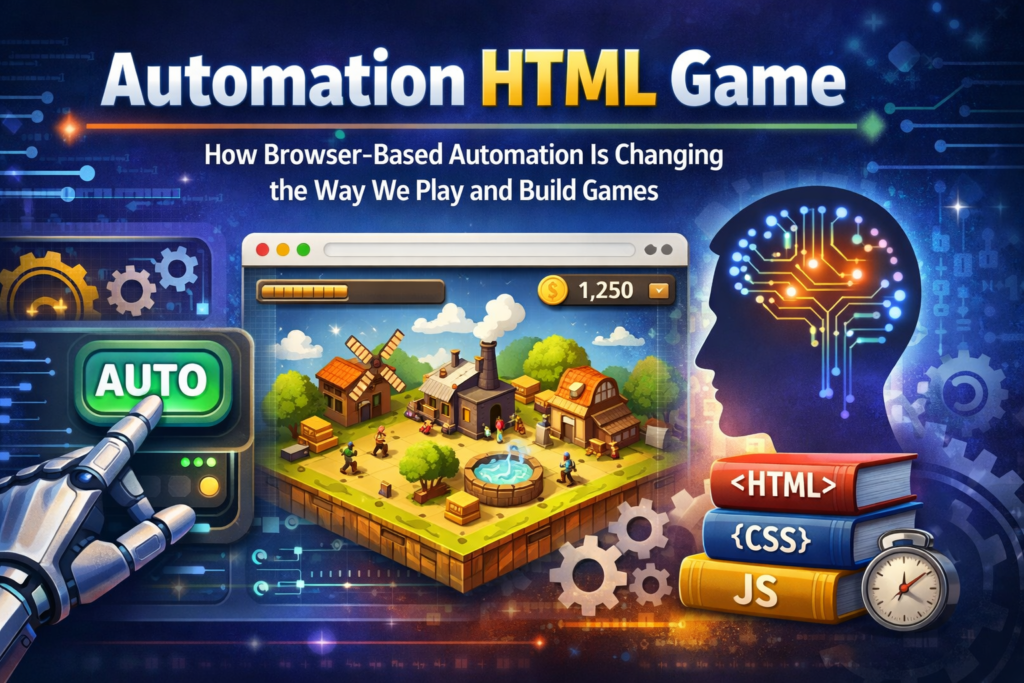
Automation HTML games are evolving rapidly. With better browsers, faster JavaScript engines, and growing interest in idle mechanics, automation will only become more refined.
We’re already seeing trends like:
- Smarter AI-driven automation
- Player-defined rule systems
- Hybrid games mixing manual play and automation
As web technology advances, automation will blur the line between playing and designing systems.
FAQs About Automation HTML Games
What is an automation HTML game?
An automation HTML game is a browser-based game that uses automated systems to perform gameplay actions with minimal player input.
Are automation HTML games safe to play?
Yes, when played on reputable websites. They run directly in the browser and do not require downloads or plugins.
Can beginners create an automation HTML game?
Absolutely. Basic automation can be built using simple JavaScript logic, making it beginner-friendly.
Do automation games reduce player engagement?
When designed well, they increase engagement by shifting focus from repetitive tasks to strategic decisions.
Are automation HTML games suitable for mobile?
Most are mobile-friendly, as modern browsers support the same automation logic across devices.
Conclusion: Why Automation HTML Games Matter
Automation HTML games represent a shift in how we think about play. They reward planning over grinding, curiosity over speed, and creativity over repetition.
For players, they offer flexible, stress-free enjoyment. For developers, they unlock scalable design and efficient testing. And for the future of browser gaming, automation is not a shortcut—it’s a feature that deepens experience.
If you’re curious, try playing or building an automation HTML game yourself. You might discover that watching a smart system unfold can be just as exciting as clicking every button.