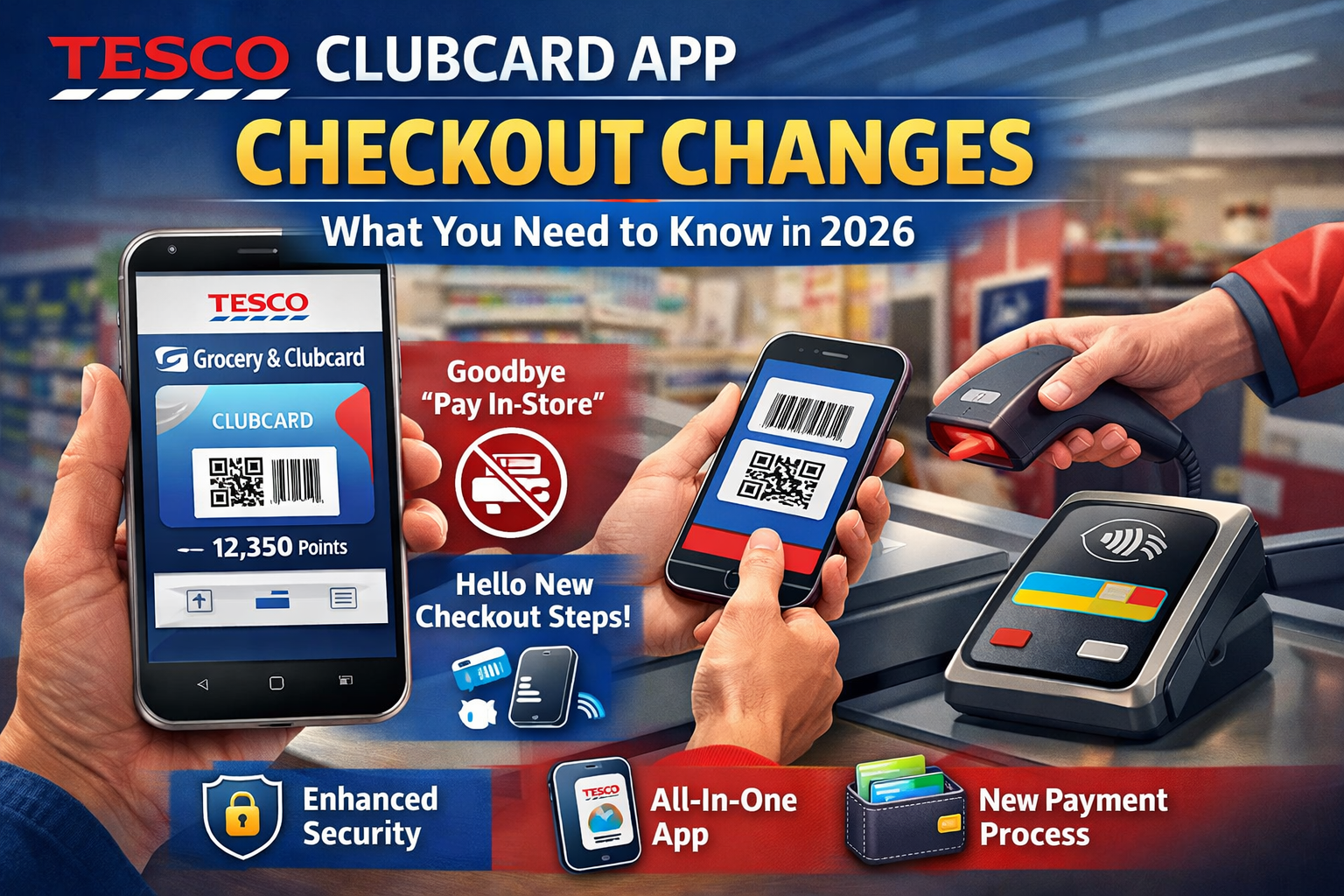
The way Tesco shoppers use their Clubcard and checkout at store tills is changing. If you regularly use the Tesco app, especially for Clubcard points and in‑store checkout, it’s essential to understand what’s new, why it matters, and how to make the most of the updated experience. This article unpacks everything you need to know in clear, practical terms.
What’s Happening with the Tesco Clubcard App
In 2025 and into 2026, Tesco made a series of updates to how its digital Clubcard and checkout experience works. These changes are designed to improve security and streamline loyalty features into a single app experience. They include:
- Removal of the “Pay in‑Store” feature – previously known as Tesco Pay+.
- Update requirement for the app – old versions no longer support digital Clubcard functions after a deadline.
- Transition to the Tesco Grocery & Clubcard app – combining features from separate apps.
- Changes at checkout – scanning and payment changed at tills.
These steps reflect Tesco’s effort to simplify how customers earn and redeem Clubcard rewards while tightening app security.
Why Tesco Made These Changes
Tesco’s updates focus on three key priorities:
- Security Enhancements – The app update improves protection of personal data and prevents fraud. You must install the latest app version or risk losing access to digital Clubcard features.
- Simplification of Features – Combining multiple apps (Clubcard, Pay+, and Grocery) into one reduces confusion and clutter.
- Aligning with Modern Payment Habits – With more people using digital wallets and standalone payment methods, Tesco is moving away from in‑app payment to focus on loyalty and reward functions.
The result? A cleaner, more secure app experience — but one that requires adaptation from regular users.
What the Pay In‑Store Removal Means
For many Tesco shoppers, the most visible change has been the removal of the Pay In‑Store feature from the app.
What Used to Happen
The old Pay In‑Store (also called Tesco Pay+) feature allowed you to:
- Store your credit or debit card in the Tesco app.
- Scan a single QR code at the checkout to both pay and collect Clubcard points at the same time.
It was a convenient all‑in‑one scan at the till, eliminating extra taps or card swipes.
What Happens Now
As of early March 2025, Tesco has phased out this feature. This means:
- You must scan your Clubcard first (physical card, app barcode, or digital wallet).
- Then pay separately with your chosen payment method (card, mobile wallet, cash).
- You still earn points and access Clubcard Prices offers after scanning your Clubcard.
For many shoppers, this adds a small extra step at checkout, but it preserves loyalty benefits and enhances security.
Updating Your App: Crucial Steps
Tesco issued a deadline (March 31, 2025) for customers to update their app to the latest version. After this date:
- Older app versions will no longer work for digital Clubcard access.
- You must install the current Tesco Grocery & Clubcard app to keep earning points or using Clubcard deals on your phone.
- If you fail to update, you can still use your physical Clubcard or key fob in‑store, but the digital features will stop functioning.
Here’s what to do:
- Open the Apple App Store or Google Play Store.
- Search for the Tesco Grocery & Clubcard app.
- Tap Update or Install.
- Sign in with your Clubcard account to restore your digital card and rewards.
If your device doesn’t support the new app, Tesco recommends accessing your account via their website or using your physical card instead.
What’s Now in the Tesco Grocery & Clubcard App
The new, unified app replaces the old standalone Tesco Clubcard and Pay+ apps. It includes:
- Digital Clubcard barcode to scan at checkout.
- Clubcard point balance and transaction history.
- Clubcard vouchers and digital coupons.
- Online grocery orders and delivery tracking.
- Stock checks and personalised offers.
This centralisation aims to make the loyalty experience more cohesive and easier to manage.
How Checkout Is Different Now
At the physical checkout, the process now looks like this:
- Scan your digital or physical Clubcard bar code at the start of checkout.
- Select your payment method on the terminal or wallet app.
- Pay separately.
This breaks the loyalty scan and payment into two distinct steps unlike the previous single‑scan Pay In‑Store approach. The shift might feel slightly slower at first, but it aligns Tesco with many other loyalty systems where points are collected independently of payment.
Practical Examples to Help You Adapt
Here are some real‑world scenarios to illustrate how the changes affect you:
Example 1: Everyday Grocery Shop
Before:
You open the Tesco app → scan one barcode → pay and collect points instantly.
Now:
You open the updated app → scan your Clubcard barcode → pay by card or digital wallet → points apply to your Clubcard.
Example 2: Digital Wallet Users
If you added your Clubcard to Apple Wallet or Google Wallet:
- You can still tick off rewards by scanning from the wallet.
- Tesco still supports these wallet integrations, even though Pay In‑Store is removed.
- Ensure your wallet’s Clubcard barcode is updated from the latest app version.
Example 3: Older Phone or Unsupported Device
If the updated Tesco app isn’t compatible with your phone:
- You can use your plastic Clubcard instead.
- Or access your Tesco online account via browser to view rewards and vouchers.
Common Questions About the Change
Here are answers to questions shoppers ask most often.
Will I Lose My Points If I Don’t Update the App?
Not if you use a physical Clubcard in store. But if you rely solely on the app without updating, you might miss out on collecting points digitally.
Do I Need to Re‑Register My Clubcard?
No. When you install the updated Tesco Grocery & Clubcard app and log in, your points, vouchers, and coupons automatically carry over.
Can I Still Use Coupons on Online Tesco Orders?
Yes. Within the new app you can select digital coupons or vouchers and apply them during the online checkout process.
What If My Device Doesn’t Support the New App?
Visit the Tesco website and log in to access your Clubcard account from a browser or use your plastic Clubcard for loyalty in store.
Tips for a Smooth Checkout Experience
To make your shopping trips smoother:
- Keep the app updated — regularly check for updates.
- Add your Clubcard to your digital wallet for quick access.
- Scan your Clubcard before payment to ensure you get points.
- Check your points balance after each shop to catch errors early.
These simple habits help safeguard rewards and minimise surprises at the till.
Conclusion: Staying Ahead of Tesco Clubcard App Changes
Tesco’s updates to the Clubcard and checkout experience reflect a shift toward a more secure, streamlined loyalty platform. While the removal of the Pay In‑Store feature changes the way you check out, the core benefits earning points, redeeming vouchers, and accessing personalised deals remain intact with the updated Tesco Grocery & Clubcard app.
By updating the app, understanding the new checkout steps, and adopting digital wallet integrations, you’ll continue to get the most value from Tesco’s loyalty programme.
Take action now: Update your Tesco app to the latest version, add your Clubcard to your wallet, and enjoy a smoother, more secure shopping experience.
Frequently Asked Questions
Q: What exactly changed with the Tesco Clubcard app checkout?
A: Tesco removed the in‑app Pay In‑Store feature, so you now need to scan your Clubcard separately before paying with your chosen payment method.
Q: Will I lose my points if I don’t update the app?
A: No, you won’t lose points if you use a physical Clubcard in store, but the digital features won’t work on older app versions.
Q: How do I install the new Tesco Grocery & Clubcard app?
A: Go to your device’s app store, search for the Tesco Grocery & Clubcard app, and install or update. Then log in with your Clubcard account.
Q: Can I still use my Clubcard with Apple Wallet or Google Wallet?
A: Yes – and many shoppers find this a convenient way to present their Clubcard barcode at checkout.
Q: What if my phone can’t run the updated app?
A: Access your Clubcard account through Tesco’s website or use the physical Clubcard in store.